PK Podman Shell⚓︎
Building custom container images is used in prokube for creating container components in Kubeflow pipelines and for custom transformers and predictors in KServe.
But with Docker itself it is not possible to build images within a running container.
That is why one of the key features of our custom notebook images is the pk-podman-shell, which enables container image building directly within your KF-notebook environment without the need to transfer your code files to buildservers or even leaving the IDE.
Getting Started⚓︎
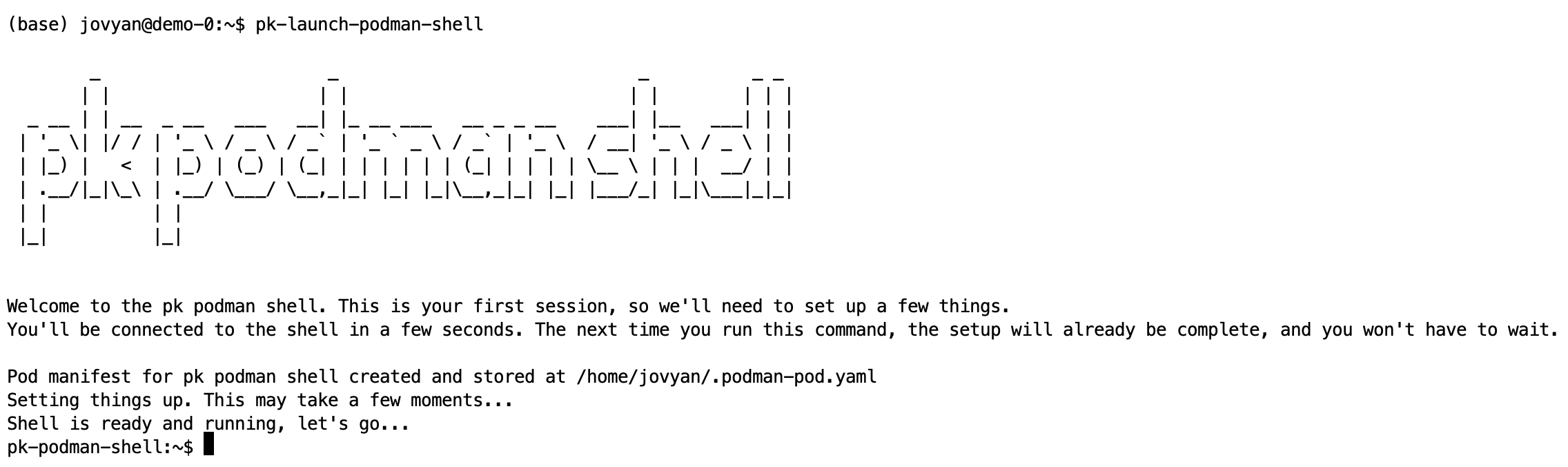
To launch the shell, execute the following command in your notebook's terminal (works in JupyterLab, VS Code, or RStudio):
pk-launch-podman-shell
docker alias). You maintain access to all files in the Jovyan user's home directory:
Building and Managing Images⚓︎
To build a Docker image from a Dockerfile in your notebook directory:
docker build . -t <image-name>
List available images:
docker images
Working with Container Registries⚓︎
You can authenticate and push images to container registries:
# Login to registry
docker login -u <dockerhub-user-name> registry-1.docker.io
# Push image
docker push <image-name-including-registry>
Shell Management⚓︎
- Exit the shell: Press
Ctrl+D - Reconnect: Run
pk-launch-podman-shellagain - Force shutdown: Execute
pk-shutdown-shell
Technical Details⚓︎
- The shell state and images are persisted in your notebook volume
- The shell runs in a separate pod that terminates when the notebook is stopped or deleted
- The pod manifest is stored in your volume under
.podman-pod.yaml - You can reconnect to your previous session as long as the notebook is running